

How you organize your notes isn’t only about them looking tidy; it really changes how successfully you understand, remember, and use what you’re studying. And as lectures get harder, lots of students find their files all over the place, forget what they thought, and don’t have good ways of going over things.
This is where SmartNotes, an AI note-taking tool, comes in to make everything much simpler.
You won’t have to use different apps or a pile of notebooks with SmartNotes. It gives you one main place for creating, changing, and saving all of your notes with ease. It uses easy-to-understand labels, quick searching, and a smooth way of handling files, meaning your information is always easy to locate.
What’s even more important is that it doesn’t make things overly complicated.
SmartNotes is designed to be understandable and easy to use, to help you get things done without being sidetracked. Because of this, students can develop a way of doing things that helps them with what they need to do each day and with doing well in school over the long haul.
What Makes an AI Note Maker Different from Traditional Notetaking?
When you take notes the usual way, it’s easy to get lost in keeping everything in order. But an AI note maker does a lot of the organization for you, and gets your work done quicker and with less effort.
With SmartNotes, you can:
- Organize notes using folders and subfolders
- Automatically connect related notes with smart tagging
- Search across all files instantly
- Work across cloud storage and local files in one place
SmartNotes isn’t like many simple apps; it is designed to be easy and adaptable. It keeps everything as simple text, so you won’t be tied to a specific program or have to deal with difficult file types.
Step-by-Step: How to Organize Notes Like A Pro
1. Centralize All Your Notes
It’s best to have everything together in one spot. Jumping from one application to another or between several notebooks makes you lose time and makes it easier to misplace things you need.
SmartNotes lets you organize all your files, those on your computer and those on the internet (in the cloud), all inside of one tool.
This centralization ensures that:
- You always know where your notes are
- You can access them from anywhere
- Your workflow remains consistent
2. Use Folders and Subfolders Effectively
Organizing data starts with structure. An AI note-taking app makes it easy to structure data, allowing you to create folders and subfolders.
For example:
- Main folder: Computer Science
- Subfolders: Artificial Intelligence, Quiz Preparations, Mock Papers
This layered approach keeps your notes clean and easy to navigate.
3. Let Smart Tagging Do the Work
Smart note-taking method doesn’t make you label each note by hand; it uses smart tagging to show you relevant information automatically. Because of this, notes that are alike are tied to each other, you’re able to find relationships between different subjects, and you won’t have to do as much organizing.
And as you continue using it, you’ll develop a more thoughtful, interwoven collection of knowledge.
4. Use Search to Save Time
It’s really annoying to have to look through your notes manually. SmartNotes, though, has a great search feature that looks through all your notes for you.
You can get to whatever you need, a single word, a paragraph, or the general subject of something, almost immediately.
This is particularly useful during tests because you need to find information very rapidly at those times.
5. Take Advantage of Auto-Save
Lots of people forget about how useful automatically saving is when taking notes.
SmartNotes saves everything as you type, so you won’t ever have to worry about losing anything. This is good for your peace of mind and lets you really concentrate on what you’re writing without having to think about hitting “save.”
6. Work Smarter with Multiple Tabs
Students are commonly dealing with multiple subjects at the same time.
SmartNotes lets you have lots of pages (tabs) open, and so you can work on multiple sets of notes at the same time. You’ll find this is especially helpful for comparing different topics, working on papers, or doing research.
How SmartNotes Supports Smarter Learning
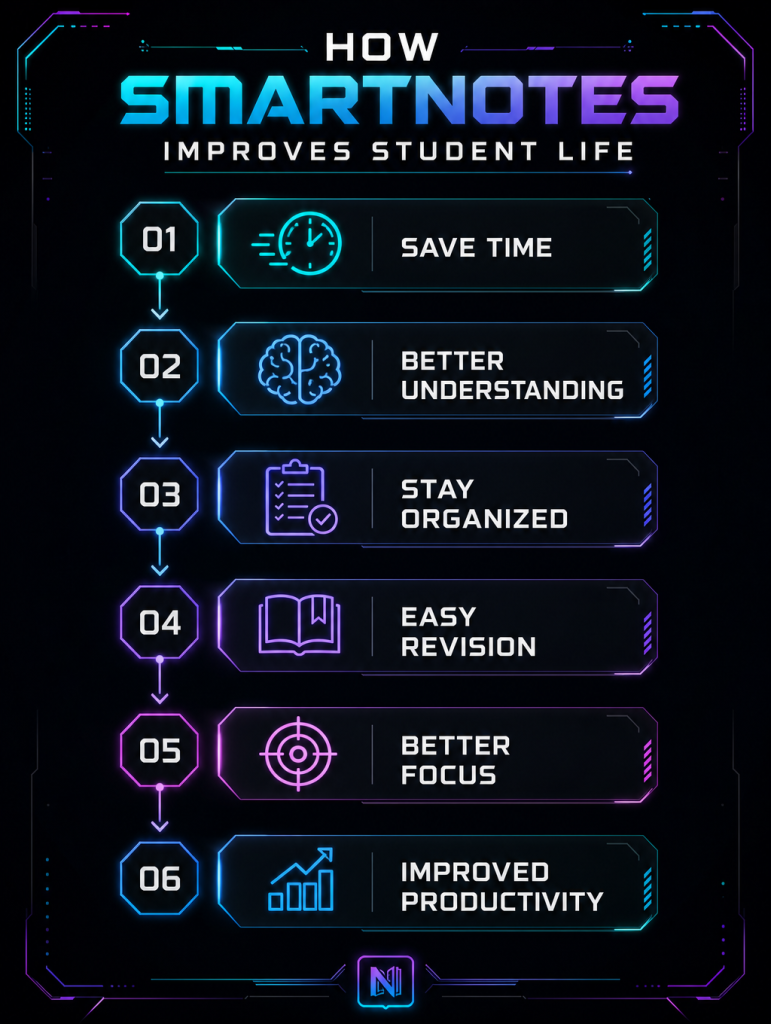
SmartNotes does much more than just hold your notes; it fundamentally changes how you learn, understand, and remember things as time goes on.
Rather than being a place to simply file things away, it’s a tool that will actively help you with your learning, keeping you organised, thinking things through, and improving how you study.
Because it gets rid of mess and makes finding information easy, SmartNotes means you can devote more energy to getting your head around ideas, not just looking for them.
Because this tool keeps everything organized and searchable, you can:
- Review notes faster without wasting time scrolling through multiple files or folders.
- Connect ideas more effectively by linking related topics and building a clearer understanding of subjects.
- Stay focused on key concepts and avoid letting unnecessary details overwhelm you.
Beyond Class Notes: AI Meeting Notes and More
SmartNotes is not limited to academic use. It’s also highly effective for managing meeting notes and project discussions.
For instance, you can:
- Record key points from group meetings
- Organize action items
- Store project ideas in structured folders
AI tools can even extract key insights and summarize discussions, making it easier to stay aligned with your team. This makes SmartNotes a versatile AI note taking app suitable for students.
Common Note-Taking Mistakes (and How to Fix Them)
Even with advanced tools, students often face challenges.
Here’s how SmartNotes helps solve them:
- Disorganized Notes: Without structure, notes become difficult to use. SmartNotes fixes these issues with folders, tags, and search.
- Information Overload: Writing everything down can create clutter. SmartNotes helps you focus on what matters by keeping content clean and accessible.
- Poor Review Habits: Many students don’t revisit their notes regularly. With a quick search and organized storage, reviewing becomes much easier.
Why SmartNotes Stands Out
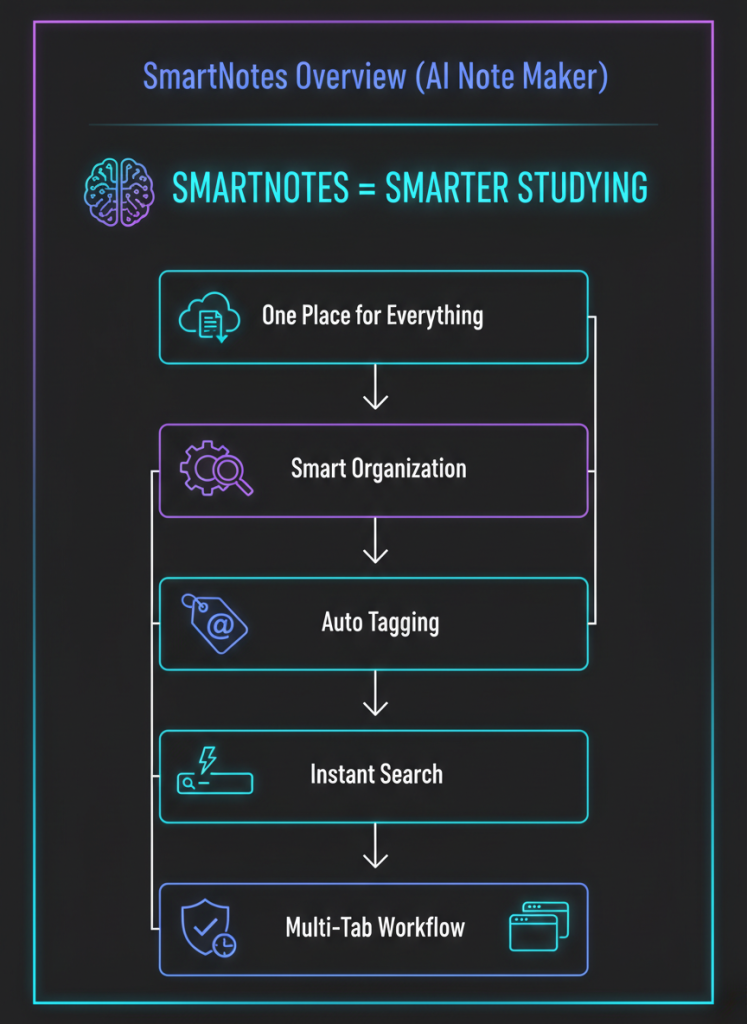
There are many tools available, but SmartNotes focuses on doing the basics exceptionally well. It combines simplicity, flexibility, and smart organization without overwhelming users.
Key highlights include:
- Plain text storage with no lock-in
- Seamless cloud integration
- Intelligent tagging and search
- Auto-save and change detection
- Multi-tab workflow
These features make it one of the best AI note-taking app options for students who want a reliable and efficient solution.
Final Thoughts
Doing well in school isn’t simply about putting in more hours studying, it’s about having a way to be steady and neat in your work. SmartNotes, an AI note-taking program, gives you what you need for this by making it easier to get information down, keep track of it, and go over it later.
You’ll have a sensible place where everything is easily found and changed, instead of lots of files all over the place and ways of working that don’t do much. Smart tagging, quick searching, and being able to use it with cloud services mean your notes will continue to be helpful, for more than just one session or task.
Also, as the way we learn changes, SmartNotes and similar programs allow you to adapt without making things overly complicated. It helps you with all of your aims at every point, whether you are studying for tests, dealing with assignments, or with notes from AI-powered meetings.
In the end, selecting a good smart notes application can completely change how much you get done. With SmartNotes, being organised will happen automatically, and that is what the most successful students do.
What’s waiting you to switch to AI note-taking tool?
[Download the App] – Avail 14-Day Free Trial!